_How _to _activate _your _Altergifts
How to activate your Altergifts
If you have purchased Altergifts and want to redeem and activate it, follow these instructions step by step:
-
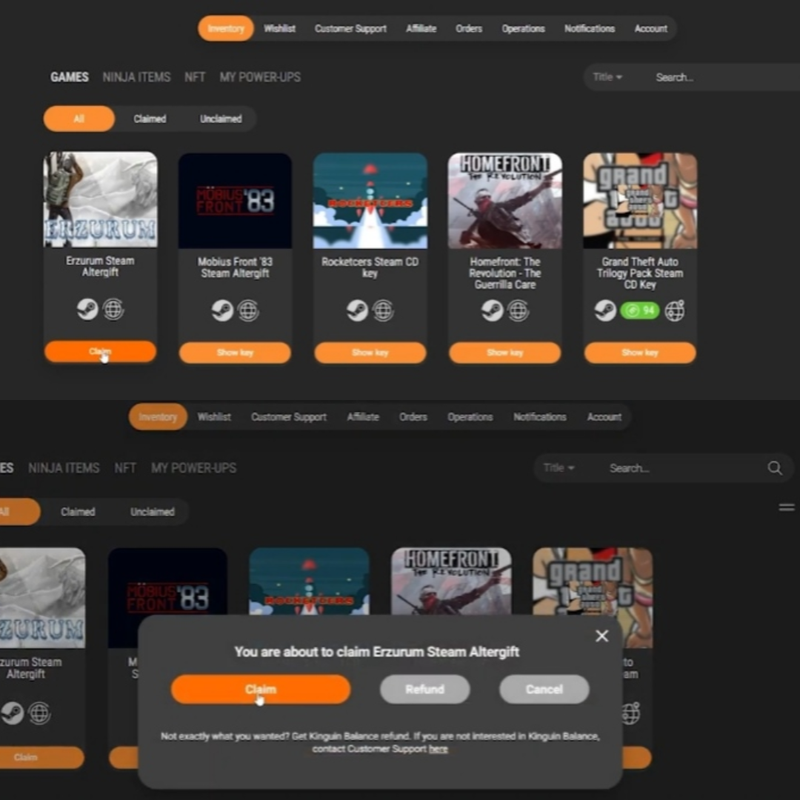
Start by claiming the purchased product on your Gamesoo account.
-
A gift link will be provided to you.

-
Go to the website provided in that link.
-
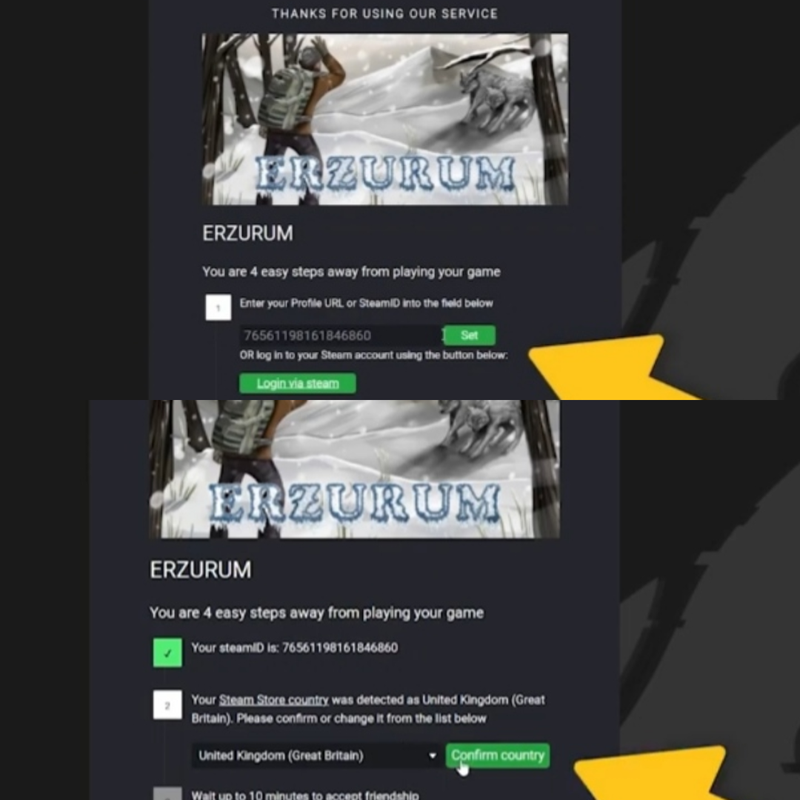
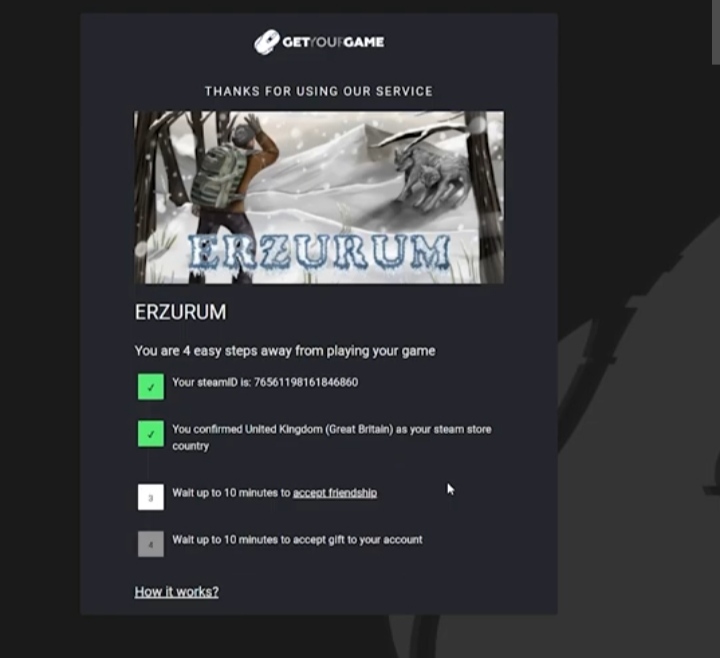
According to the instructions, paste your Steam ID in the gift redemption window and confirm the country associated with your Steam account, or sign in directly to Steam.

Click as shown in the picture to access your Steam ID and copy it.
-
The automated bot system will send a request to add your Steam account as a friend.

-
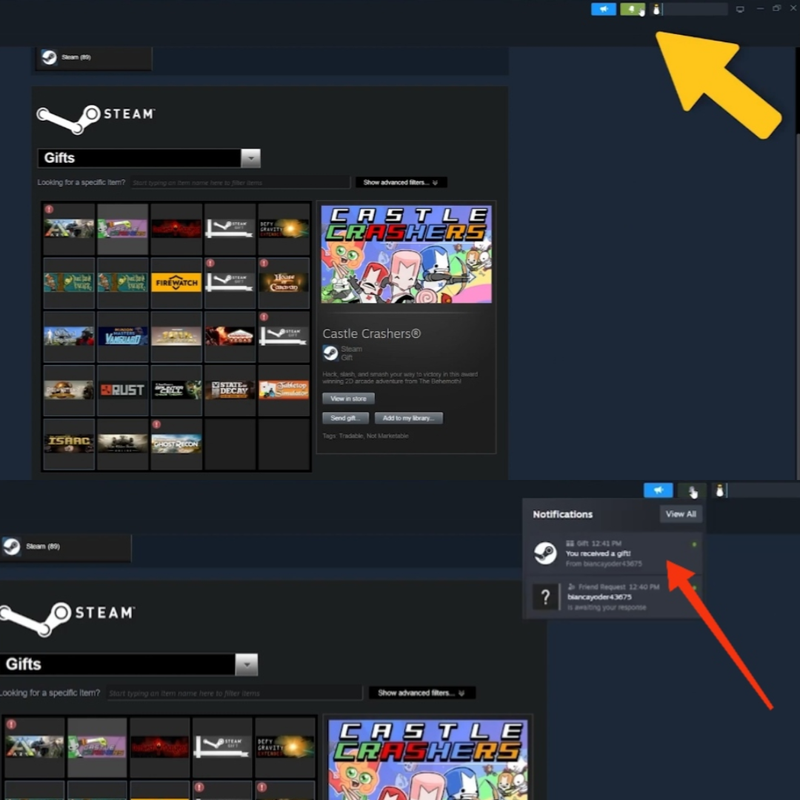
After accepting the request from the automated bot system, a notification about receiving your purchased game as a gift will be sent.
-
Then click on "Accept Gift".
