How to activate Google Play Gift Card

How to activate Google Play Gift Card?

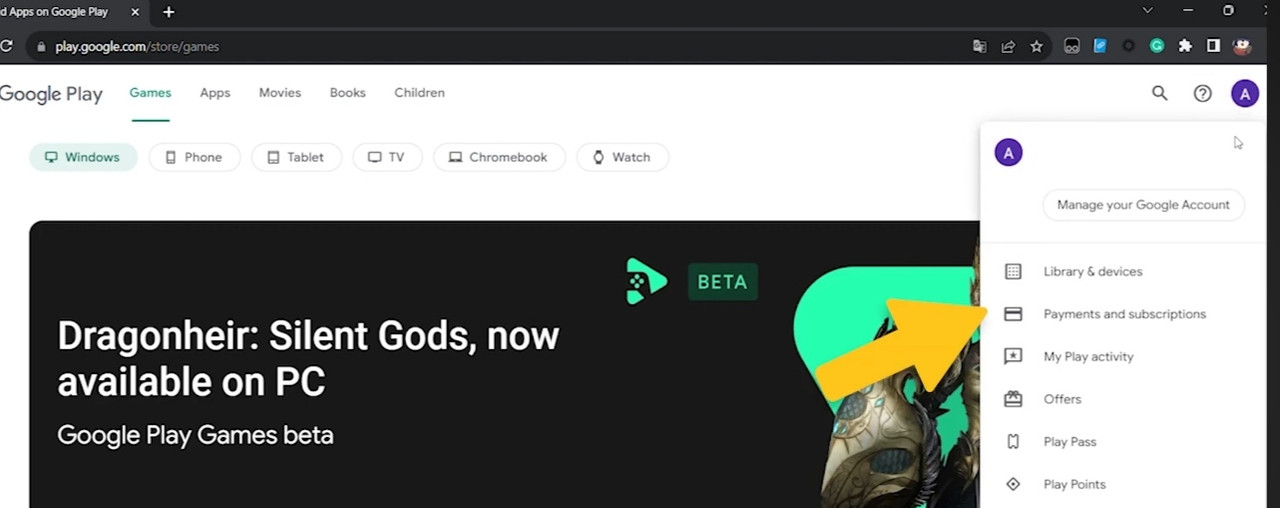
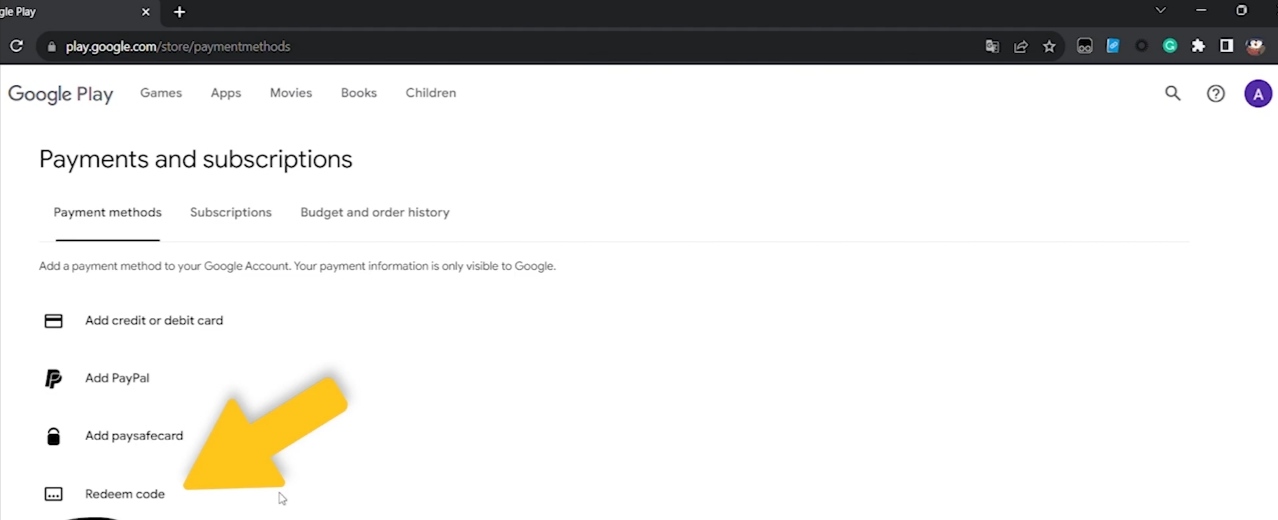
To activate your Google Play gift card, proceed with the following steps:

1- Claim the purchased product on your Gamesoo account.
2- Open Google Play Store and sign in to your account or create a new one if you don't have one.
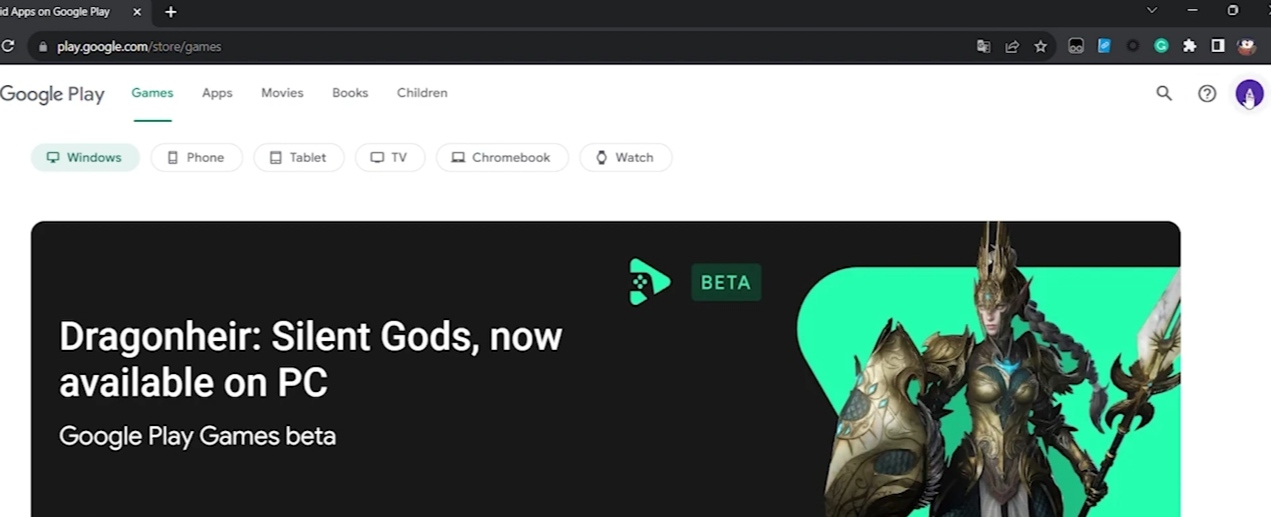
Image 1
Image 2
Image 3

3- Press on this page to go directly to the redemption page.
4- Insert your gift card code in the designated field.
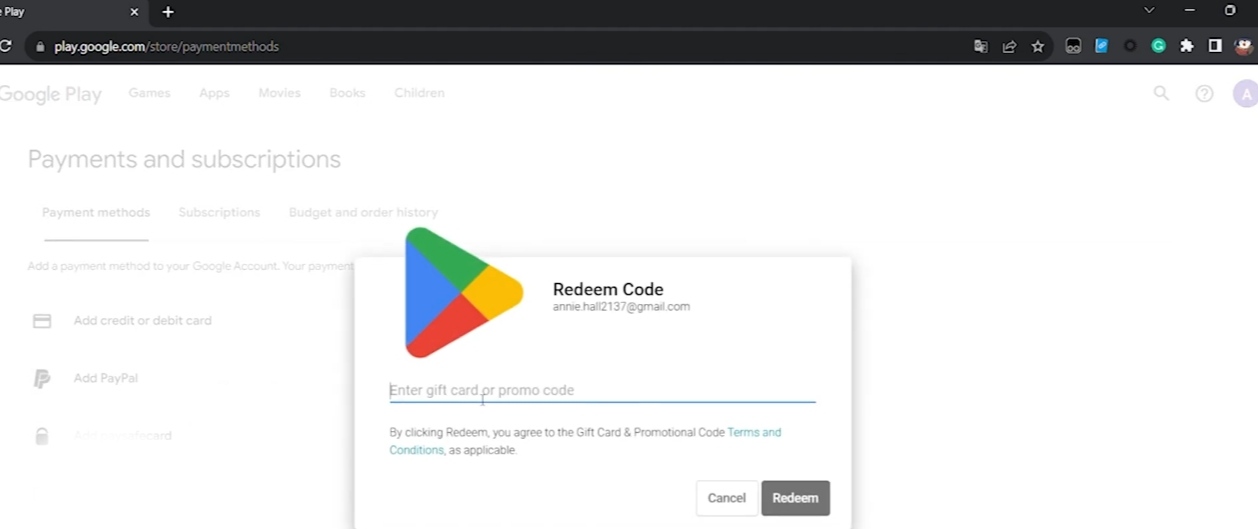
Image 4

5- Click on "Redeem" button to complete the activation process.
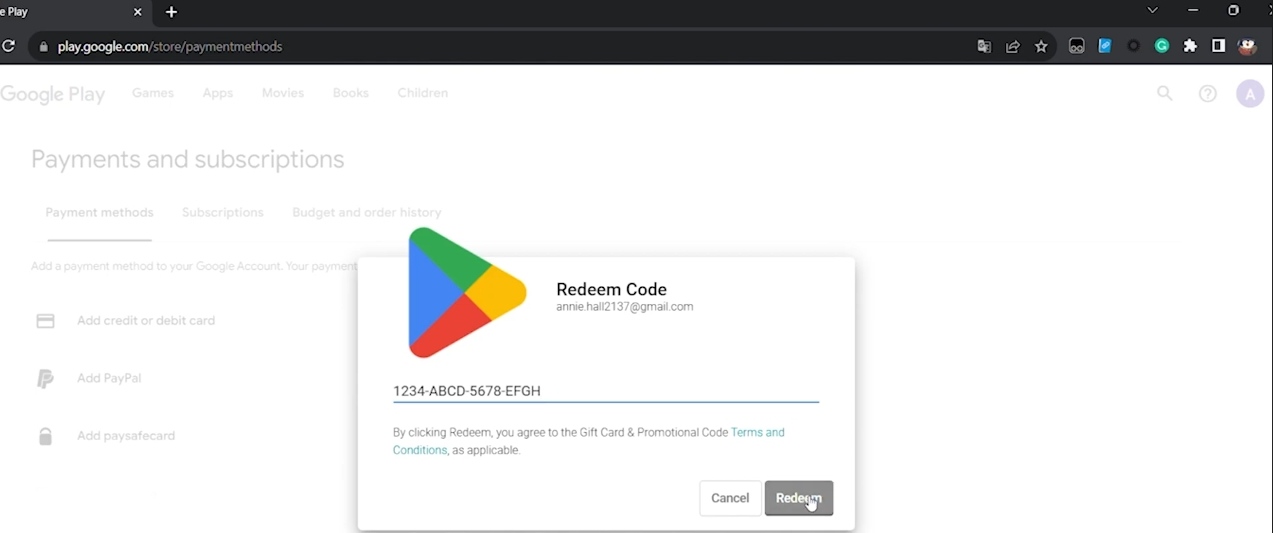
Image 5

Customer Opinions
Why us
Instant Delivery

We offer instant delivery, no waiting, and no delays! Receive your product right after purchase.

Shop Securely

Qimzo is verified with a Saudi commercial license and certified by the Saudi Business Center.

Qimzo Guarantee

We ensure safe shopping and top-quality products, with a guarantee that can't be beaten!

Pay with Confidence

Safe and easy payment methods, directly integrated with the Saudi Central Bank!