Steam _Gift _Card_Wallet _Activation.md
Steam Gift Card/Wallet Activation
To activate the product on Steam, you need to install Steam Client. Download it from here.
Then follow the steps below:
1- Claim the purchased product on your Gamesoo account.
2- Open the Steam Client and sign into your Steam account.
3- Select "View my wallet" from the drop-down menu that appears when you press on your account name.
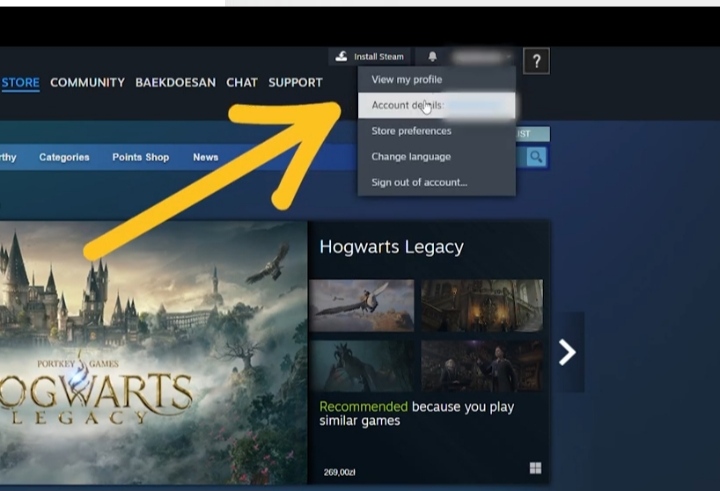
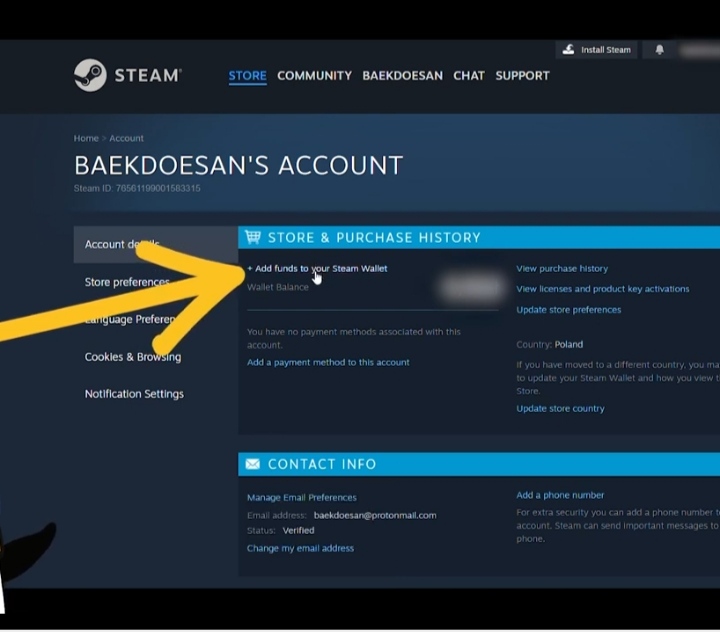
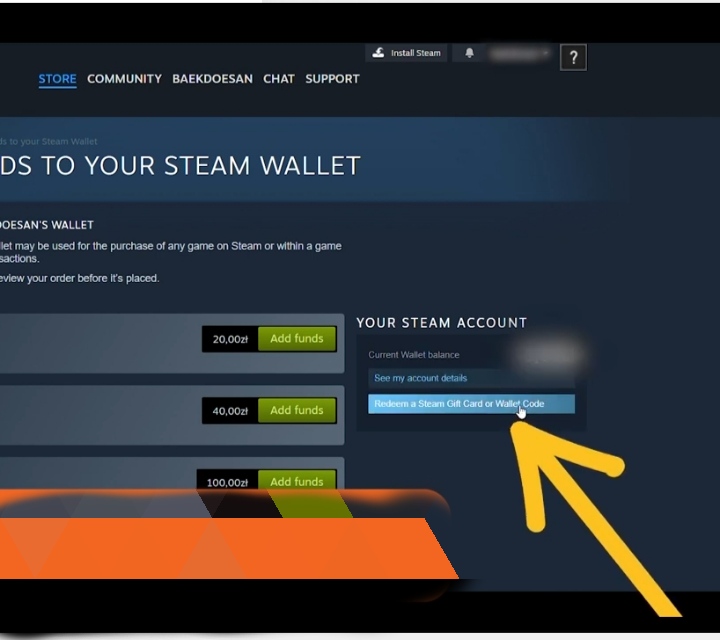
4- Once you’re on the Steam Wallet page, press “Redeem a Steam Gift Card or Wallet Code”.
5- Paste your Steam Gift Card into the Steam Wallet Code field, then press Continue.
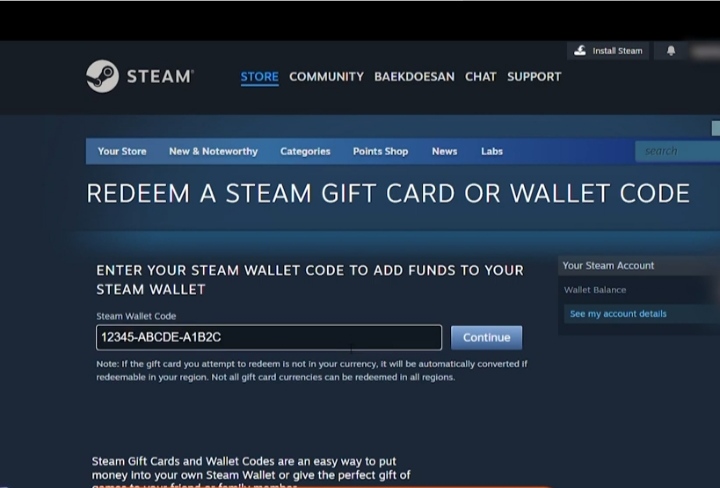
Note: Ensure that the currency of both the Steam Wallet card and your account is the same. Please check the restrictions of the gift card on our product page.