How to Activate Epic Games Key
How to Activate Epic Games Key
This can be done in two ways: through the website or the application.
Activation through the website:
1- Claim the purchased product on your Gamesoo account.
2- Click on this website.
3- Log in to your Epic Games account or sign up if this is the first game you try to activate on this platform.
4- After login, use the same link mentioned in the previous step 2.

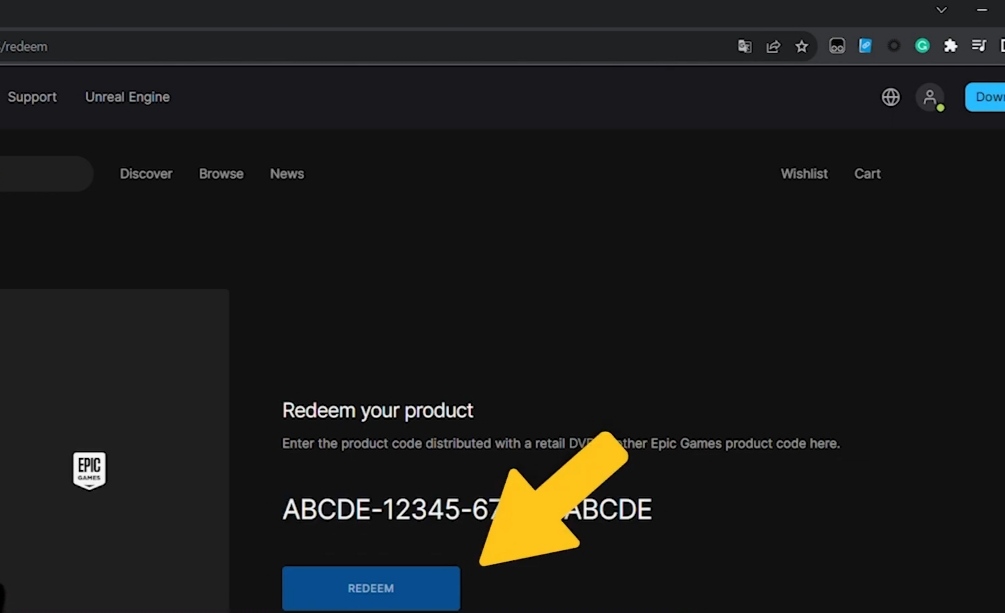
5- Insert your key and press "Redeem".
Activation through the Epic Games application:
1- Claim the purchased product on your Gamesoo account.
2- Run your Epic Games application.
3- Press on your account in the upper-right and then press “Redeem Code”.
4- Insert your key and press “Redeem”.