Logo

Support Center

Need Help?

Create TicketSearch ArticlesBrowse Topics
  1. Home
  2. Support Center
  3. Article

Related Articles

How _to _activate _ESET _Key

enable 2FA on your Origin-EA App account

Xbox Account Guide

_Spotify _Account _Guide

How to enable 2FA on your Rockstar account

How to Activate a Minecraft.net Key

How to Activate a Minecraft.net Key

To activate a key on Minecraft.net, you need to create a new account on Minecraft.net or sign in with an existing account. Then follow the steps below:

  1. Claim the purchased product on your Gamesoo account.

  2. Sign in to your Minecraft.net account.
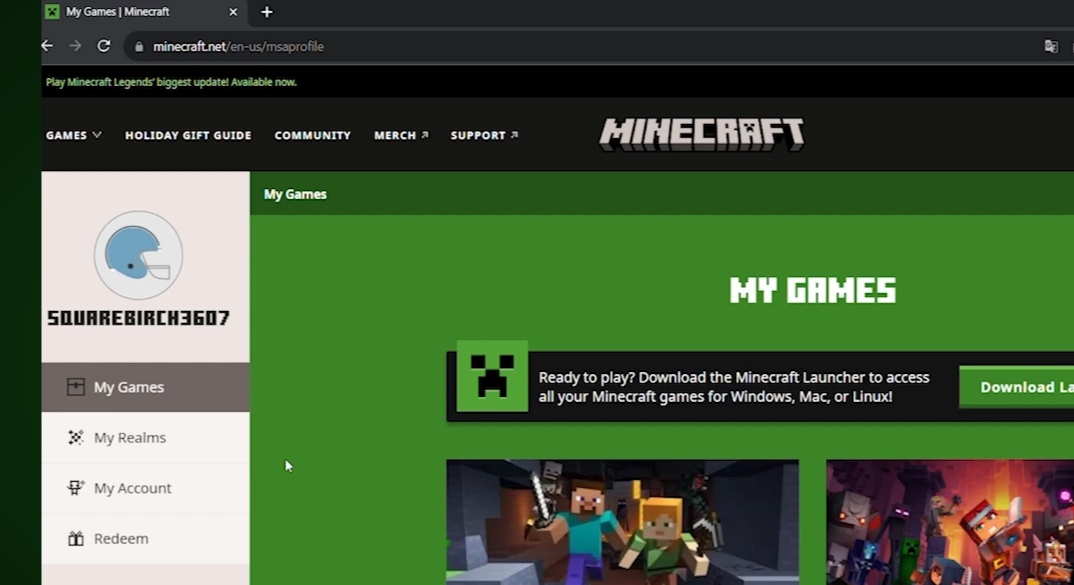
    Sign in

  3. Click on this page to redeem your key.
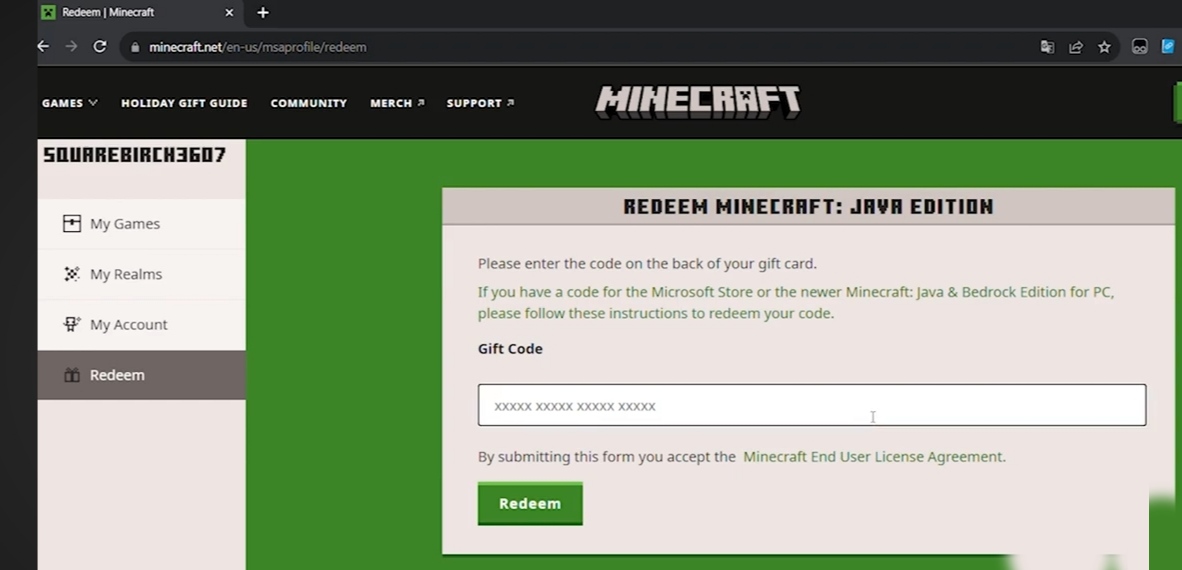
    Redeem page

  4. To finish the activation process, paste your key.
    Paste key

Note: Redeeming a code using a Mojang account is no longer available.

Why us
Instant Delivery

We offer instant delivery, no waiting, and no delays! Receive your product right after purchase.

Shop Securely

Qimzo is verified with a Saudi commercial license and certified by the Saudi Business Center.

Qimzo Guarantee

We ensure safe shopping and top-quality products, with a guarantee that can't be beaten!

Pay with Confidence

Safe and easy payment methods, directly integrated with the Saudi Central Bank!

بطاقة مدىبطاقة الائتمانأمريكان إكسبريسApple Pay
dConfirmation of the Saudi center for the completiondCommercial Registration

Subscribe to the newsletter


Connect with us

Whastapp
Support Center
support@gamesoo.net

About the store

Who are weCustomer OpinionsInstructionsBlogReturn Policy

Follow us

Tiktok Instagram TelegramTwitter

Products

GamesRecharges CardsAccountsSocial Media Services

2026 - All rights are save GameSoo

Privacy PolicyTerms of Service

Developed By

Miraj
Customer Opinions
Show All (556)