How to Enable Family Sharing on Steam Account
How to Enable Family Sharing on Your Steam Account?
To enable Family Sharing on your Steam account, follow the steps below:
1- Open the Steam client and click on “Steam” in the top-left corner.
2- Select “Settings”
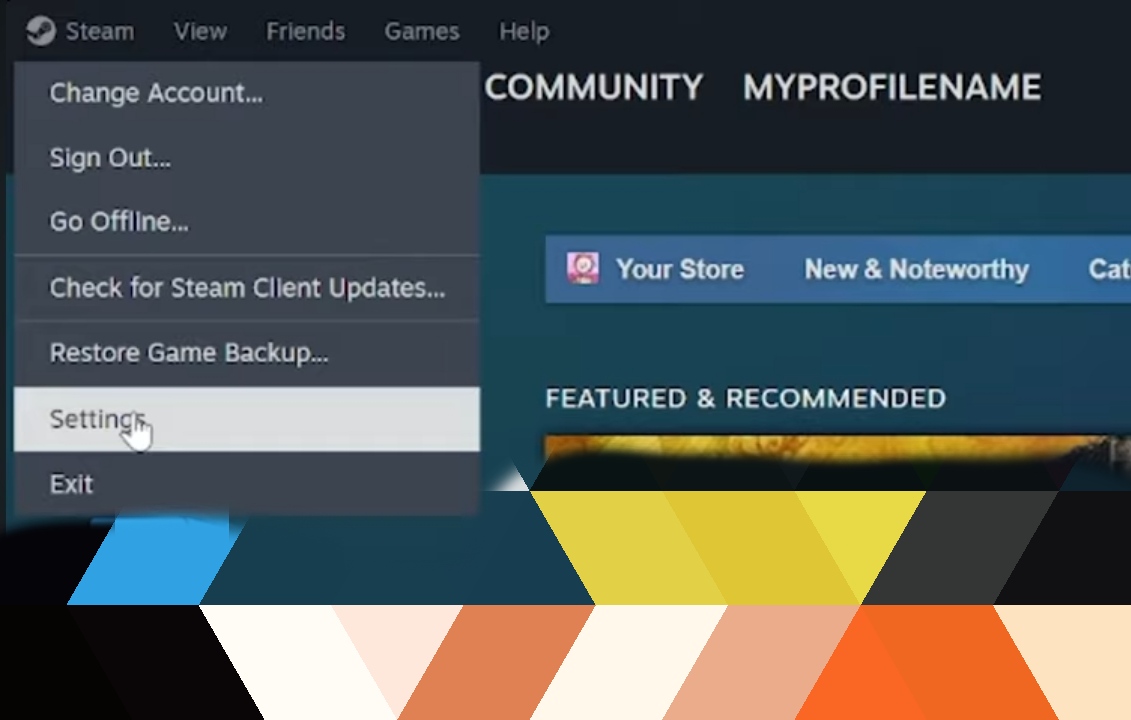
3- Press on "Create or Join Family" from the "Family" tab.
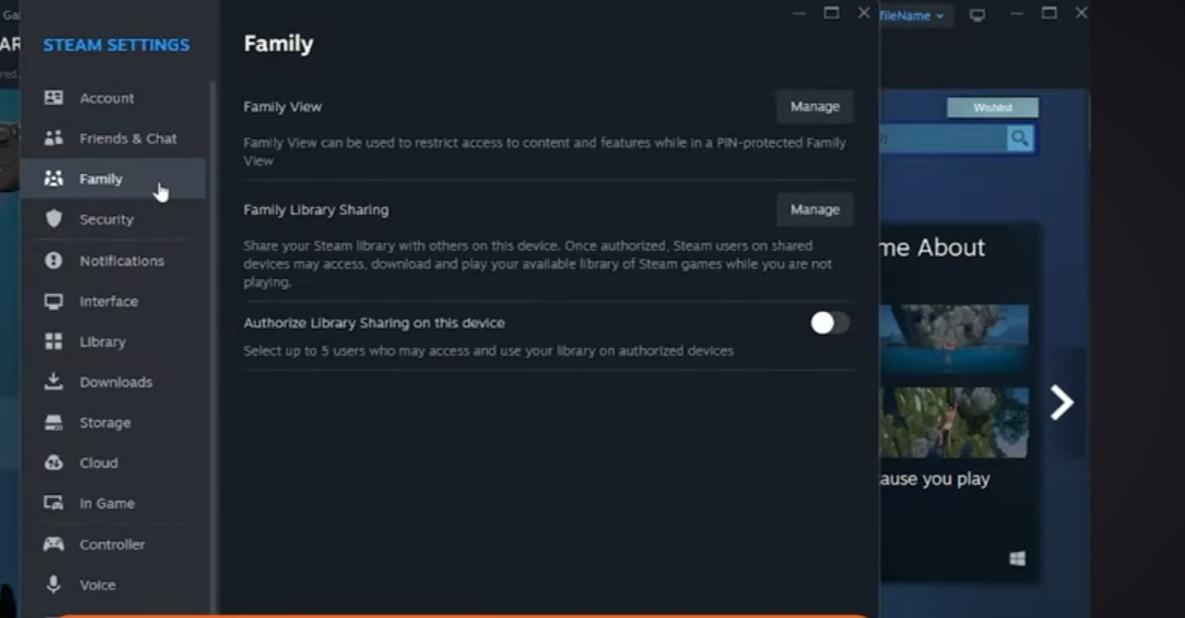
4- Select "Create a family".
5- Insert the family name.
6- Press "Invite member" and choose one of your friends.
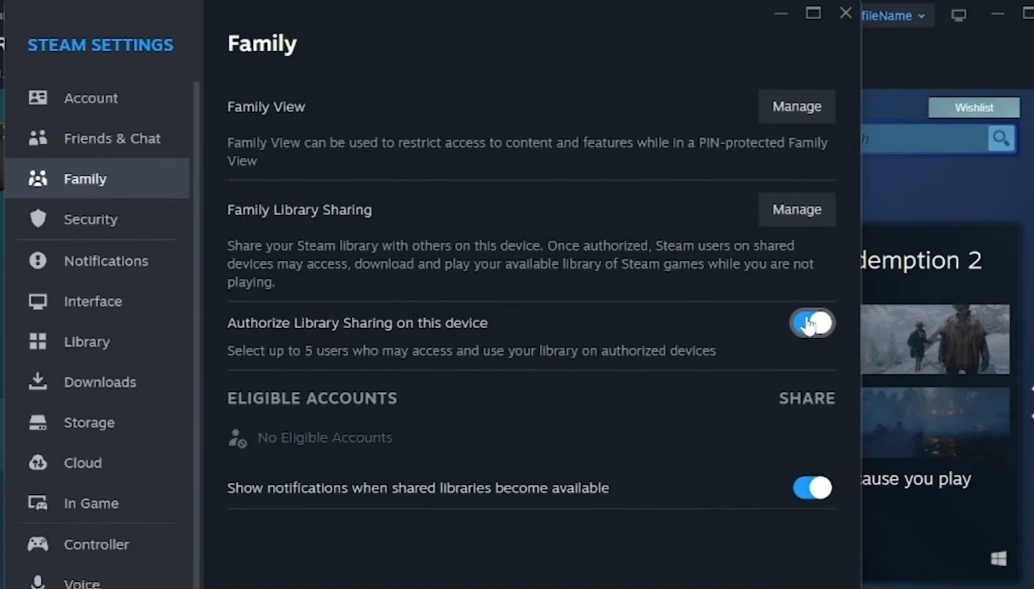
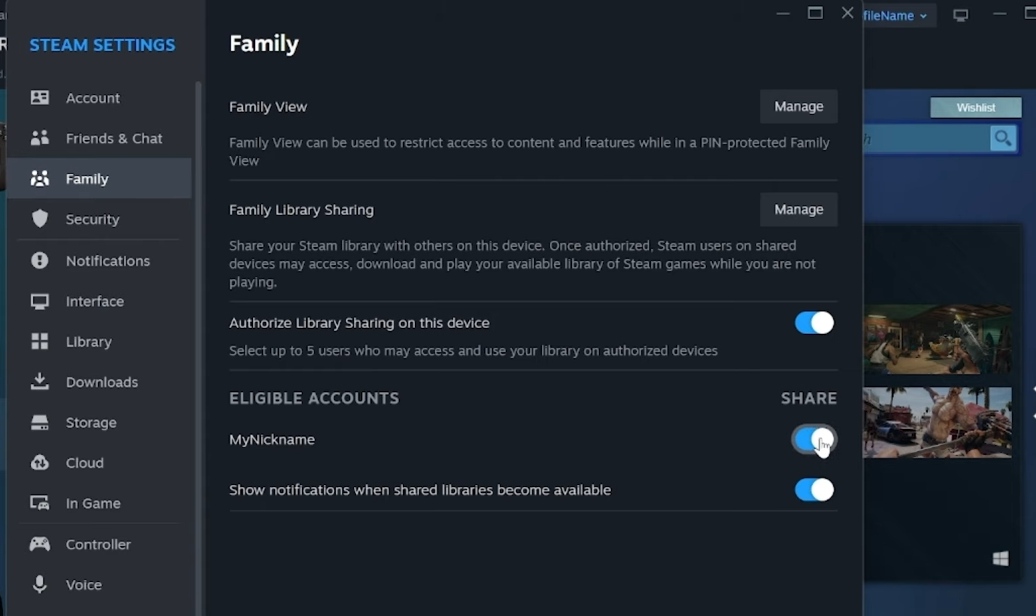
7- Ensure Steam Guard is enabled on your Steam Account.
To request access from the owner:
- First, ensure Steam Guard is enabled on your Steam Account.
- In your library, you can see games owned by other Steam accounts that use the same computer. Choose a game and press "Borrow" to request access to that library. Once you request access, an email will be sent to the game owner with a link to allow you to play games in their library.
- Then the game owner will need to press the link in the email to authorize your computer and grant your Steam account access to their games.