How to enable Steam Guard
How to enable Steam Guard on your Steam Account?
To enable Steam Guard on your Steam Account, follow the steps below:
- Open the Steam client and choose "Steam" in the top-left corner.
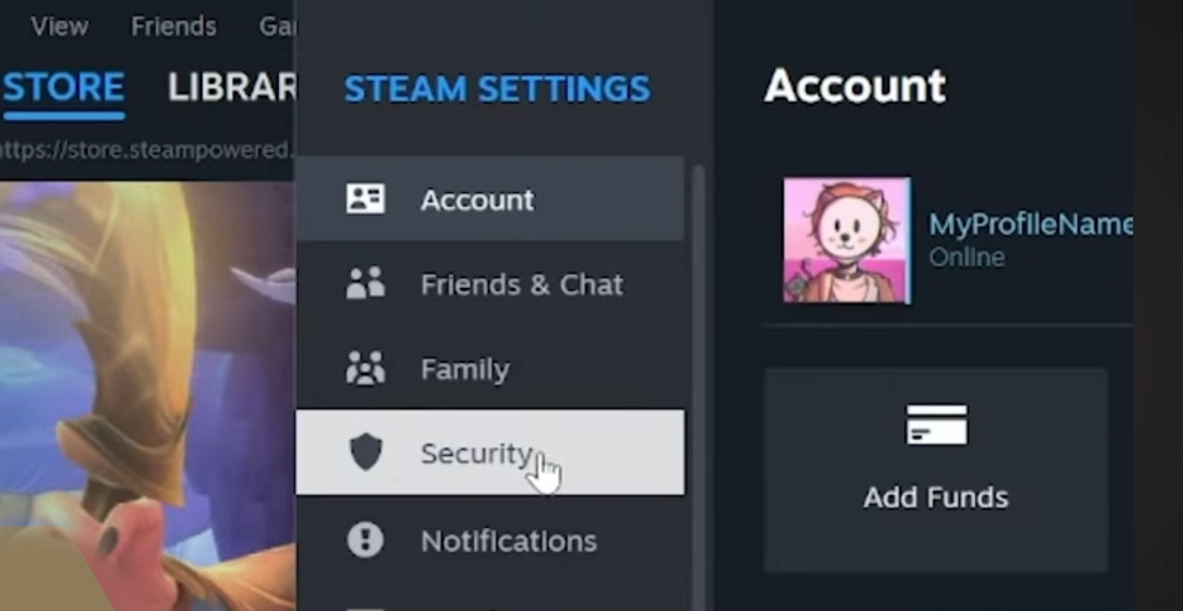
- Select "Settings".

- Choose "Manage Steam Guard" from the "Security" tab.


- Choose "Get Steam Guard codes by email (will require you to re-login)" from the page that opens.
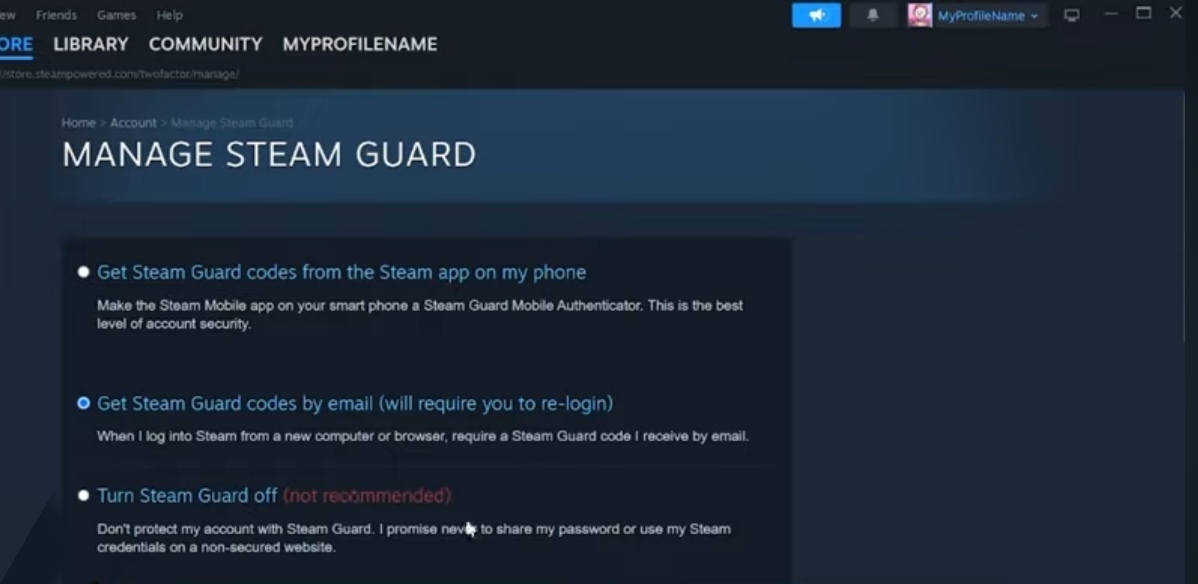
- Once Steam Guard is enabled, you will be asked to insert the special access code that is sent to your email address every time you sign in to Steam from an unrecognized device.
Note: Ensure your contact email is verified on Steam. You can check that by visiting the Account Details page, where verified emails are labeled as "Verified".